Running a small business in India means many tasks at once: GST invoices, a busy billing counter, stock that never matches the shelf, handwritten ledgers, and customers who promise to pay “tomorrow.” Most owners handle these in separate notebooks, spreadsheets, and apps. The result is duplicate entries, mismatched numbers, and hours lost every week.
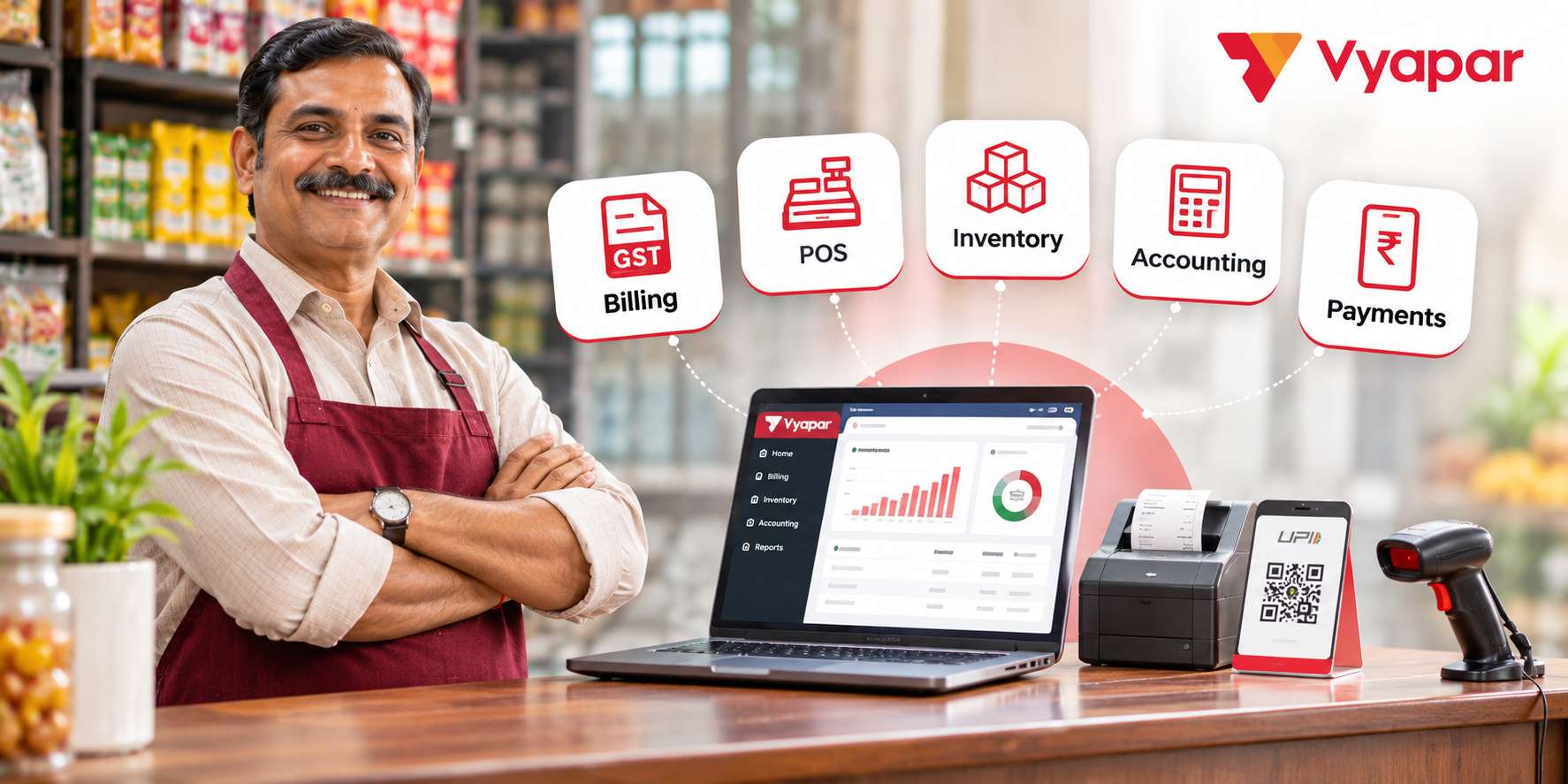
Vyapar brings these tasks into one system. Its billing software creates GST-ready invoices, while connected modules handle retail counters, stock, accounts, and collections. This guide explains how each piece works, with practical examples, so you can judge whether it suits your shop, wholesale unit, or service business.
Why Separate Tools Slow You Down
When billing, stock, and accounts live in different places, every sale creates extra work. A cashier issues a bill, someone updates the stock register later, and the accountant re-enters the same sale at month-end. Each handoff is a chance for error. Even two minutes of duplicate entry per bill adds up to more than three hours daily across 100 bills.
Common business challenges include:
Mismatched stock counts
Last-minute GST return corrections
Untracked unpaid invoices
Unclear profits, expenses, and top-selling products
An integrated platform removes the need for repeated entry. One transaction updates billing, stock, and accounts together.
What to Look for in Small Business Management Software
Before choosing any tool, check it against practical criteria. The best systems fit how Indian businesses actually work, not how enterprise software assumes they do.
GST-ready invoicing with e-invoice and e-way bill options
Billing, stock, and accounts connected in one place
Simple screens that non-accountants can learn quickly
Offline access for shops with unreliable internet
Staff permissions and a clear audit trail
A free trial before you commit
Vyapar App is designed around these needs, which the sections below explain one by one.
GST Billing Software for Accurate Invoices and Tax Compliance
GST billing is where most owners start, and where mistakes cost real money. Vyapar lets you create GST and non-GST invoices with HSN/SAC codes, correct tax rates, and professional templates. You can share invoices on WhatsApp or email, which suits customers who rarely check their inbox.
Creating and Managing GST Invoices
Business owners can use Vyapar to:
Prepare invoices containing applicable GST information.
Apply item-level or invoice-level discounts.
Maintain invoice numbers and customer details.
Create and share digital invoices with customers.
Review GST-related sales and purchase reports.
For example, a wholesale distributor supplying different categories of goods can record the appropriate tax details for each item instead of calculating every invoice manually.
The software also provides GST reports based on recorded business transactions. These reports can help owners and accountants review information before preparing returns.
POS Billing Software for Faster Retail Checkout
Retail counters need speed. Vyapar’s POS billing software supports barcode scanning, automatic GST calculation, printable receipts, and POS billing that takes seconds. Staff can accept UPI, cards, wallets, or cash from a single screen while stock reduces automatically.
Hardware support matters too. The system works with barcode scanners, thermal printers, and weighing machines, so loose items such as rice or sugar are weighed and billed accurately. Dedicated versions also exist for pharmacies, salons, grocery stores, and apparel shops.
Example: A grocery store, clothing outlet, pharmacy, or electronics shop may process many transactions during busy hours. Manually entering every item can slow down the checkout process and increase the chance of billing mistakes. POS billing software streamlines transactions by connecting sales with inventory and accounting records, helping businesses bill faster and manage operations efficiently.
Inventory Management Software for Better Stock Control
Vyapar’s inventory management software updates quantities whenever you record a sale, purchase, or return, so nobody maintains a separate register. Live stock levels are visible on mobile and desktop, including across multiple godowns.
Here is how its core features map to real needs:
Low-stock alerts: Warns you when items fall below the minimum level you set. Best suited for Kirana stores, FMCG traders. Batch and expiry tracking: Tracks batch numbers and flags items nearing expiry. Best suited for Pharmacies, food sellers. Multi-godown management: Shows location-wise stock and records transfers. Best suited for Wholesalers, multi-branch shops. Variant fields: Custom fields for size, colour, and units of measure. Best suited for Clothing and footwear stores. FIFO valuation: Calculates stock value and cost of goods sold using oldest stock first. Best suited for Any product-based business.
Example: A pharmacy owner sets minimum quantities for fast-moving medicines and receives alerts before shelves are empty. Expiry alerts flag strips nearing their date, so they can be discounted or returned to suppliers instead of being written off as a loss.
Accounting Software for Daily Financial Management
Generating invoices is only one part of maintaining a business's financial records.
Owners also need to track purchases, expenses, customer balances, supplier payments, and overall profitability. When these details are maintained separately, preparing financial statements can take considerable time.
Vyapar combines invoicing with accounting software features that help businesses record and organise routine financial transactions.
Managing Accounts and Business Reports
The system supports customer and supplier ledgers, expense tracking, receivables, payables, and accounting reports.
These features help business owners answer practical questions:
How much money do customers still owe?
Which supplier payments are pending?
How much has the business spent on operating expenses?
What do recorded income and expenses indicate about profitability?
Vyapar provides reports such as Profit and Loss, Balance Sheet, Cash Flow, and Trial Balance, based on the transactions recorded in the system.
Example: A small distributor can track supplier balances, sales, and payments in one accounting system instead of maintaining multiple registers. Accurate reports still require complete entries, proper adjustments, and regular reviews.
Payment Tracking and Customer Follow-Ups
Receiving a sale is not always the same as receiving payment.
Some customers pay immediately through cash, UPI, or cards. Others purchase on credit and settle their bills later. Businesses must distinguish between completed payments and outstanding amounts.
This has become particularly relevant as digital payments grow. According to a March 2026 Press Information Bureau report, UPI processed 21.70 billion transactions across India in January 2026.
For a business owner, however, receiving a digital payment notification is only one part of maintaining an accurate financial record.
The payment must also be matched with the correct sale or customer account.
Key Payment Tracking and Collection Features
Unpaid invoice tracking with due dates
Automated payment reminders
UPI payment options on invoices
Multiple payment modes at the counter
Example: A distributor selling goods on 30-day credit can easily track overdue invoices instead of relying on notebooks. They can send WhatsApp payment reminders with UPI links in seconds. Faster collections improve cash flow and help pay suppliers on time.
Manage Your Entire Business with One Integrated Software
The real advantage is one entry doing many jobs:
Creating a bill: Without integrated software, written by hand or typed in a spreadsheet; with Vyapar, one GST invoice with automatic tax. Updating stock: Without integrated software, register entry done later; with Vyapar, updates automatically with every bill. Recording the sale: Without integrated software, re-entered by the accountant; with Vyapar, flows into accounts automatically. Collecting payment: Without integrated software, phone calls and manual follow-ups; with Vyapar, reminders and UPI payment options. GST filing prep: Without integrated software, gathering bills at month-end; with Vyapar, reports built from existing data.
Vyapar Works Across Windows, Mac, Android and iOS
Connectivity is rarely perfect in markets and godowns. Vyapar supports offline billing on Windows and Android, allowing businesses to continue daily operations without internet access. It is also available on Mac and iOS, helping owners manage sales, stock, payments, and customer dues across devices. Data can sync when connectivity returns, while secure login, encryption, and backups help protect business records.
How Different Businesses Can Benefit from Vyapar’s Features
Choose the Vyapar features that best match your business needs, from faster billing and inventory tracking to payment management and expense tracking.
Kirana or retail: Recommended features include POS, barcode scanning, low-stock alerts. Key benefit: Fast checkout, no empty shelves. Pharmacy: Recommended features include Batch and expiry tracking. Key benefit: Fewer losses from expired stock. Wholesaler: Recommended features include Multi-godown stock and payment reminders. Key benefit: Control across locations and credit. Service provider: Recommended features include GST invoices and expense tracking. Key benefit: Professional billing, clear profits.
How to Get Started with Vyapar in Five Steps
Import your item list from Excel to avoid manual data entry.
Add your GST details, business logo, and preferred invoice template.
Set minimum stock levels to monitor inventory.
Create staff accounts and assign appropriate access permissions.
Enable payment reminders and available UPI payment options to manage customer dues.
Final Thoughts
The right billing software should simplify work, not add to it. By bringing GST billing, POS, inventory, accounting, and payment tracking together, Vyapar helps small businesses manage their operations from one platform. With over 1.5 crore businesses using Vyapar, you can explore its features through a free trial and test them with your business transactions. Start with your biggest pain point, and simplify the rest of your operations.